MuseScore: Music Chords & Tabs
- 3.8
- Rating
- 10.00M
- Installs
- Free
- Price

 Analysis by App-foxy
When I need sheet music quickly, I usually care about three things before anything else: whether I can find the exact arrangement, whether the score is comfortable to read on my phone, and whether the app helps me move from searching to actually playing. MuseScore: sheet music is built around that practical need. It is a music and audio app from Musescore Limited, and its main appeal is the huge library of scores available from one place rather than a single instrument lesson or a narrow collection of songs.
I approached it as a working musician might: searching for pieces, opening scores, checking how useful the notation feels on a smaller screen, and thinking about when this would be more convenient than keeping scattered PDF files or relying on ordinary web searches. The result is a capable free starting point, but not a perfect replacement for every kind of sheet-music service. Its value depends heavily on how you search, what instrument you play, and whether you need a polished performance workflow or simply fast access to music notation.
How I decide whether a sheet-music app is worth keeping
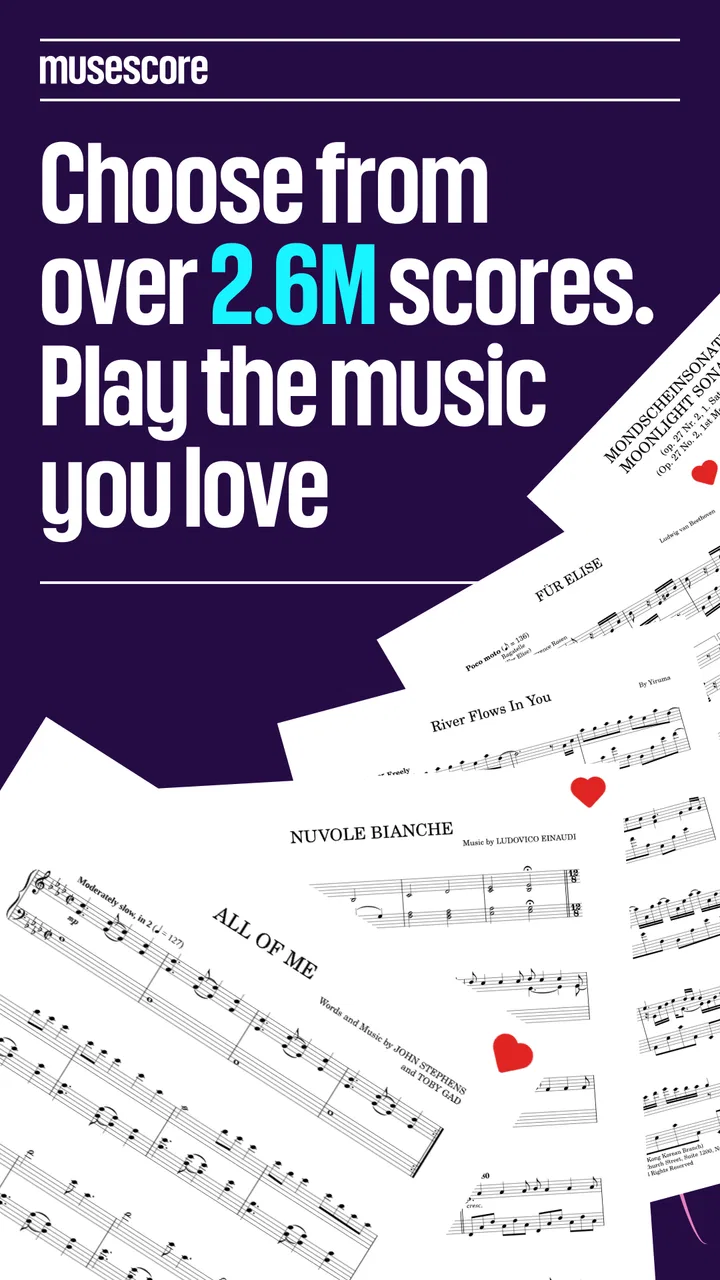
The first decision is library depth. A sheet-music app can look attractive while being frustrating if it only covers famous beginner pieces or a limited set of arrangements. MuseScore stands out because its collection is described as containing over 2.6 million free scores. That breadth changes the experience: I can use it for familiar repertoire, less common arrangements, practice material, and exploratory searches instead of treating it as a small sample catalog.
You May Also Like

 Blood Strike: 2.5 Anniversary
Blood Strike’s Loadouts Turn Every Drop Into a Tactical Gamble
A close look at Blood Strike’s custom loadouts: how fast access to signature weapons reshapes its battle royale rhythm, rewards preparation, and narrows the gap between fights.

 Pandora - Music & Podcasts
Pandora’s Music Is Easy to Start, but Harder to Recover
Pandora’s strength is its low-effort path from a seed to a station. Its weak spot is how much confidence it asks you to place in connection, setup, and quiet recovery.

 8 Ball Pool
 Is Built on Rivalries, Rematches, and Routine
A close look at the rivalries, rematches, shared routines, and unanswered safety questions that turn a quick pool match into a persistent mobile community.

 Samsung Music
’s Quiet Strength Is Playing What You Already Own
Its reach comes less from spectacle than from dependable access to a personal library. That simplicity is both the app’s strongest retention engine and its ceiling.

 AccuWeather: Weather Radar
AccuWeather Review: A Quick, Clear Forecast for Everyday Decisions
For everyday plans, the best forecast is the one you can understand quickly. AccuWeather makes rain timing, radar, and local conditions easy to act on, with a few trade-offs.

 Hill Climb Racing
Why Hill Climb Racing Still Turns Crashes Into One More Run
A tiny car, a bumpy hill and one more upgrade: Hill Climb Racing keeps resurfacing because its simple chaos makes every near-miss feel personal.
More From Our News Desk



Large collections bring their own problem, though. More results do not automatically mean the first result is the right one. A song may exist in several arrangements, with different difficulty levels, keys, instrumentation, or notation choices. I found that the real skill is learning to judge a result quickly. Before settling on a score, I look at the instrument list, the number of pages, the visible range of the notes, and whether the arrangement appears suited to my playing level.
The second decision is how I plan to use the score. If I am practicing at a desk, a phone-sized display may be enough for checking a passage or following a short piece. If I am performing from the screen, page turns, zooming, glare, and the physical position of the device become much more important. MuseScore is most convincing as a discovery and practice companion. I would be more cautious about making it my only performance setup without testing the exact device and repertoire first.
The third decision is tolerance for a mixed catalog. A broad score platform can expose me to arrangements created for different purposes. Some may be ideal for learning, while others may assume a more advanced player or a particular ensemble. I do not treat a search result as an automatic recommendation. I compare several versions and choose the one that matches my instrument and current ability.
There is also the question of payment. The app itself is free, which makes it easy to try without committing money at the beginning. It includes in-app purchases ranging from $1.99 to $214.99 per item, so I would check the exact purchase screen carefully before paying for anything. For someone who only needs occasional scores, the free entry point may be enough. For a regular user, the important question is not simply whether the app can be installed for free, but whether the features and access pattern fit the way that person studies music.
Searching is more useful when I search like a musician
My best results come from treating the search field as a musical tool rather than typing only a song title. I try the title together with the instrument, arrangement type, or composer when those details matter. If the first result is too difficult, I do not assume the app has failed; I look for another arrangement. If I am preparing a duet or ensemble part, I pay attention to whether the result represents the full score or a playable individual part.
This approach is especially helpful for beginners. A famous melody may appear in a version that looks simple at first but contains awkward leaps, dense chords, or a rhythm that is not suitable for early practice. Choosing by visual complexity and range can save more time than repeatedly starting and abandoning unsuitable scores. The large catalog is most valuable when I use it to compare options instead of accepting the first match.
For experienced players, the same depth works differently. I can search for a particular voicing, a transposed version, or an arrangement that fits a rehearsal need. The trade-off is that browsing becomes part of the task. MuseScore gives me more possibilities, but it also asks me to make better editorial choices.
Reading on a phone: convenient, but not automatically comfortable
Using sheet music on a phone is convenient for short practice sessions. I can keep a score available while sitting on public transport, waiting before a lesson, or checking a difficult section away from my music stand. That is a genuine advantage over carrying a folder of printed pages for every piece I may want to review.
In everyday use, I would position the phone before beginning rather than trying to hold it while playing. A stand makes a major difference, especially for instruments that require both hands. I also prefer to inspect page layouts before a rehearsal. A score that is easy to read while browsing may feel cramped once I need to look up and down between the notation and my instrument.
One useful habit is to use the app for preparation even when I ultimately perform from paper. I can compare arrangements, identify the right version, and decide which score deserves printing. This avoids wasting paper on a piece that turns out to be in the wrong key or written for a different instrument. In that role, the app complements traditional sheet music instead of trying to replace it.
A realistic daily use case
Imagine I have a rehearsal in two days and need a piano arrangement of a song I have not played before. I search the title, open several results, and reject the versions that are clearly beyond my current level. I then compare the remaining pages, checking whether the left-hand writing is manageable and whether the melody sits in a comfortable register. I save the most practical option for focused practice and keep a second arrangement as a reference if the first one proves awkward.
On the first evening, I use the score to mark the sections that need slow work. The next day, I return to the same arrangement rather than starting the search again. If the piece is for a group, I check whether I am looking at a full score or a part that makes sense for my role. This workflow is not flashy, but it is exactly where a large score library becomes useful: it reduces the distance between “I need this music” and “I have a workable version in front of me.”
Where the app wins over ordinary alternatives
Compared with a general web search, MuseScore gives me a more focused destination for notation. A web search may return videos, discussion pages, commercial downloads, and unrelated results before I reach a usable score. Here, the purpose is clearer: I am looking for music notation, and the collection is large enough to support browsing beyond the most obvious pieces.
Compared with storing individual PDFs, the app is better for discovery. A folder can hold the scores I already own, but it does not help me find a new arrangement when my first choice is too difficult or written for the wrong instrument. MuseScore is also more useful at the beginning of a project, when I am still deciding what version to learn.
Compared with lesson apps, its strength is not a guided teaching path. I would not choose it expecting a structured curriculum that takes me from one skill to the next. I choose it when the score itself is the center of the task. That makes it attractive to players who already know how to practice, teachers looking for repertoire ideas, and musicians who want to explore a broad range of notation.
Compared with printed books, it offers flexibility and less physical clutter. Printed collections still win for effortless page reading, annotation with a pencil, and a dependable performance setup that does not depend on a phone battery or screen size. I see the two formats as complementary. The app is excellent for searching and selection; paper can remain better for some long rehearsals.
Where another option may fit better
I would look elsewhere if my main goal were a carefully sequenced learning program. Someone who needs lessons, exercises, feedback, and gradual progression may be happier with an education-focused music app. MuseScore can provide material to practice, but it does not replace a teacher or a method book that explains why a passage is difficult and how to build the required technique.
I would also consider a dedicated digital sheet-music workflow for frequent performers. A musician who regularly plays from a tablet may prioritize large-page layouts, reliable setlist organization, annotation tools, hands-free page turning, or rehearsal management. Those needs are different from finding a score, and a specialist performance tool may be a better center for that workflow.
Players who want only official, publisher-controlled editions should also think carefully about the catalog model. A broad community-oriented score collection can be wonderfully varied, but variety means I need to inspect arrangements rather than assume every version has the same editorial standard. For casual practice, that flexibility is often a benefit. For an audition, examination, or formal performance, I would verify that the chosen edition matches the required source or notation standard.
There is a similar distinction for people who mainly listen to music. Although the app belongs to the Music & Audio category, its practical purpose is reading and finding scores. If I want playlists, radio, or a listening-first experience, I would choose a conventional music-streaming service instead. This app makes sense when I want to interact with notation, not simply hear recordings.
Small workflow choices that make a big difference
My first tip is to compare arrangements before practicing seriously. Spending a minute checking two or three versions can prevent an hour of frustration. I look for the one that matches my instrument, range, and purpose rather than choosing the result with the most familiar title alone.
My second tip is to separate discovery from performance. I use the phone to find and evaluate music, then decide whether the final practice session should happen on the phone, a larger screen, or printed pages. This avoids blaming the score for a display problem. A cramped screen is not necessarily evidence that the arrangement is poor; it may simply be the wrong format for sustained playing.
My third tip is to treat difficulty as a practical judgment, not a label to trust blindly. I scan for page density, repeated patterns, large hand stretches, fast rhythmic changes, and awkward turns. Two versions of the same piece can feel completely different under the fingers. The app’s large collection gives me the chance to find a better fit, but only if I actively compare the notation.
My fourth tip is to use the catalog for repertoire planning. Instead of searching only when a teacher or conductor assigns a piece, I can browse around a theme, composer, instrument, or skill level and build a shortlist for future practice. That turns the app into a repertoire notebook in spirit, even if I still keep my final practice plan somewhere else.
What the free starting point really means
The free price is important because it lowers the risk of testing the library with my own repertoire. I can install it, search for pieces I actually need, and decide whether the reading experience is comfortable before considering any purchase. That is a better approach than paying based only on the size of the collection.
At the same time, I would not assume that every useful part of a long-term workflow is covered by the free experience. In-app purchases are listed from $1.99 to $214.99 per item, a wide range that makes it especially important to understand what a particular purchase unlocks and whether it is useful for my habits. I would start with a real search, test the score view, and only then decide whether I need more.
The app carries a Teen content rating, so families should take that label into account when deciding whether it suits a younger musician. That does not tell me how every individual score will feel for every age group, but it is a reminder to make the decision alongside the player’s maturity and the kind of repertoire being searched.
For device compatibility, the app requires Android 7.0 or later. That makes the operating-system check a simple step before installation, especially if I am using an older phone or a device kept for music practice. The current version is 2.14.13, so I would also keep the app updated through the normal store process when possible, particularly if the reading experience or search behavior matters to my routine.
What the user numbers suggest—and what they do not decide
MuseScore has passed 10 million installs, with a 3.8 average from around 150 thousand ratings and about 5.9 thousand written reviews. Those figures tell me that it has reached a substantial audience and that many people find it useful, but they also suggest a mixed experience rather than universal approval. I read that as a reason to test it against my own instrument and device instead of treating popularity as proof that it will suit everyone.
The developer, Musescore Limited, is closely associated with the MuseScore name, which makes the app feel more focused than a random score-search utility. Still, the practical test remains personal: can I find the repertoire I need, can I read it comfortably, and does the arrangement support the way I practice? A large install base cannot answer those questions for my particular use case.
My recommendation for different kinds of musicians
I recommend MuseScore to beginners who want a broad place to look for practice material, provided they are willing to compare arrangements and choose pieces that match their ability. It is also a strong option for self-directed players, teachers collecting repertoire ideas, and musicians who often need to locate an unfamiliar score quickly.
I recommend trying it as a companion rather than a total replacement for printed music if I already have a reliable paper-based routine. The app can handle discovery, experimentation, and quick reference while printed editions remain available for performances where page comfort matters more than search convenience.
I would skip it, or at least avoid making it my primary tool, if I need a fully guided course, strict publisher-standard editions, or a sophisticated stage-management system. In those cases, a lesson platform, established music publisher, or dedicated performance reader may fit better. The app is not weak because it does not solve those different problems; it is simply aimed at a different center of gravity.
My overall view is positive, with a clear condition: the best reason to use MuseScore is not merely the size of its library, but the freedom to compare several playable versions until one genuinely fits. The free entry point makes experimentation easy, and the enormous collection gives it an advantage over ordinary searches and isolated files. Its limitations appear when I expect every arrangement to be equally polished, every screen to be ideal for performance, or the app to teach me how to play.
For me, it earns a place as a practical sheet-music companion. I would install it, search for the pieces I actually play, test the display on my device, and build my workflow from there. If those first searches produce useful arrangements and the screen remains readable at my normal practice distance, it can become a valuable everyday tool. If my needs are more specialized, I would keep it for discovery while choosing a more focused alternative for lessons, formal editions, or live performance.
FAQs for MuseScore: Music Chords & Tabs
01What platforms is MuseScore available on?
MuseScore is available for both Android and iOS devices, making it accessible to a wide range of users. You can download the app from Google Play Store for Android and the Apple App Store for iOS. It ensures compatibility with most mobile devices, allowing users to create and view sheet music on the go.
02Does MuseScore require an internet connection to use?
While an internet connection is necessary for downloading the app and accessing certain online features like sharing and downloading additional sheet music, MuseScore can be used offline for composing, viewing, and editing your own creations. This makes it versatile for musicians who may not always have internet access.
03Is MuseScore suitable for beginners in music composition?
Yes, MuseScore is user-friendly and suitable for beginners. It offers tutorials and an intuitive interface that helps newcomers learn to compose music. The app provides various templates and tools to guide users through the process, making it an excellent choice for those just starting out in music composition.
04Are there any costs associated with using MuseScore?
MuseScore offers a free version with a robust set of features. However, there is also a premium subscription, MuseScore Pro, which provides additional features like advanced notation tools and access to a wider library of sheet music. Users can choose based on their needs and budget, making it flexible for different users.
05Can I share my compositions created in MuseScore?
Yes, MuseScore allows users to easily share their sheet music compositions. You can export your work in various formats like PDF and MusicXML, or directly share them through the MuseScore community. This feature is great for collaborating with other musicians or showcasing your work to a broader audience.
Pros
- Extensive library of sheet music available.
- User-friendly interface for easy navigation.
- Offline access to saved scores.
- Customizable playback features.
- Supports a wide range of instruments.
Cons
- In-app purchases can add up quickly.
- Occasional lag in loading larger files.
- Limited free content without subscription.
- Some features require constant internet.
- Ads can be intrusive in free version.

MuseScore: Music Chords & Tabs
Gallery